Field Service App
A mobile app for field technicians, from the first assignment through repair and payment.
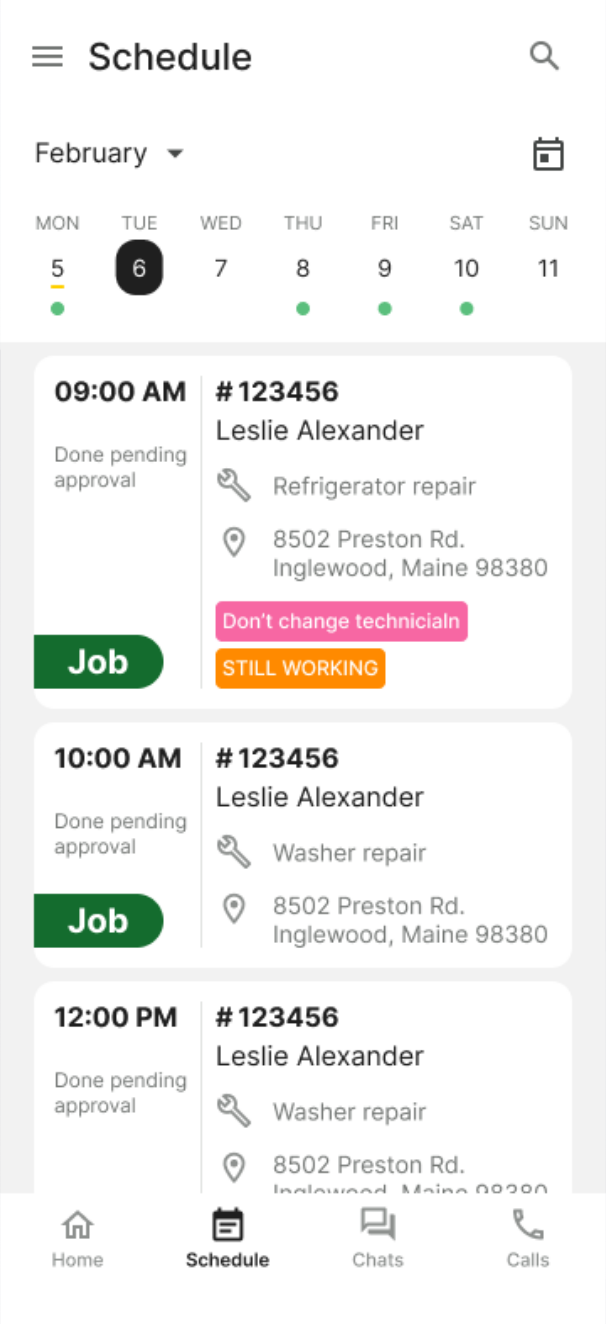
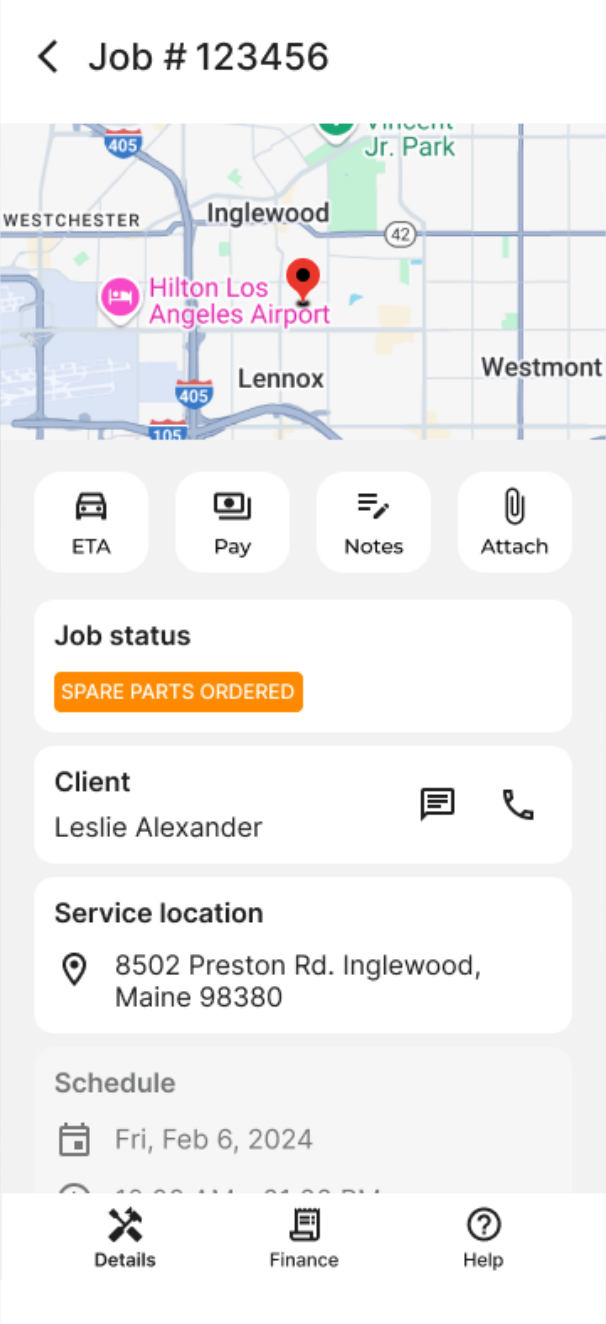
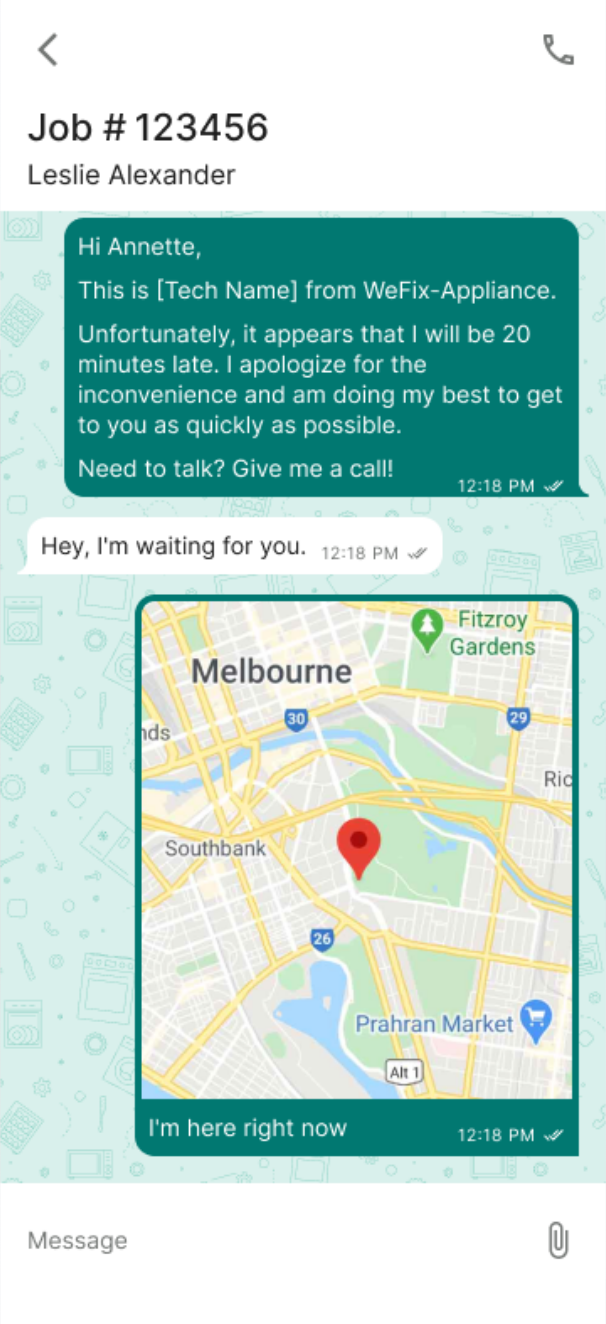
Overview
WeFix was moving from a third-party service to its own platform. The company wanted to make fieldwork quicker and easier for technicians and give dispatchers a clearer view of each job’s progress.
The challenge
During a repair, technicians had to contact a dispatcher to update a job’s status, confirm details or report a change. Even a routine update added to the dispatch team’s workload.
The company could not easily see where a job stood, which required steps were complete, whether parts had been ordered and whether the customer had paid.
I needed to bring this established workflow into the app, automate repetitive tasks and give technicians more independence.
Making job progress visible to dispatch
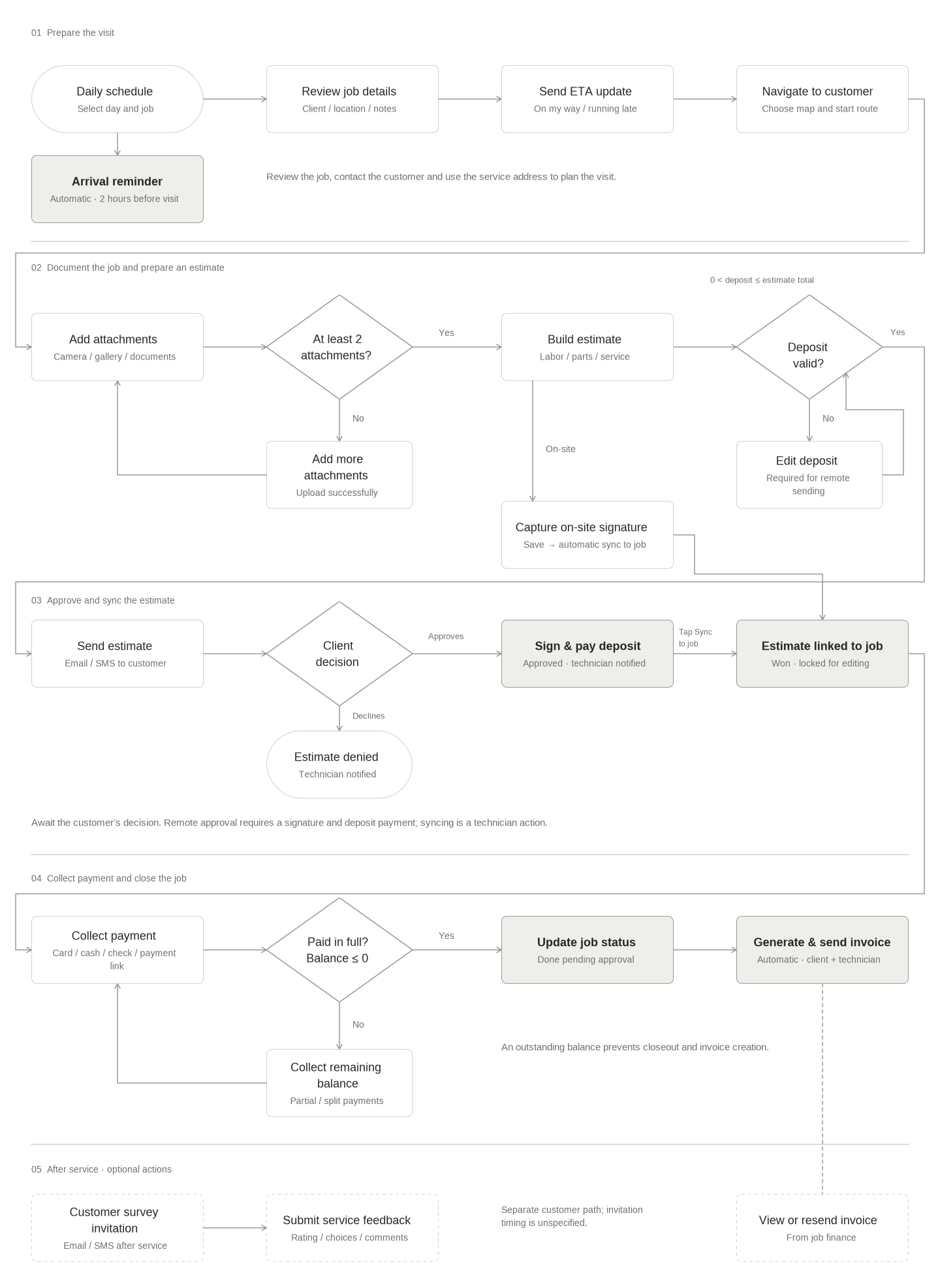
Mapping a job from assignment to payment
I mapped the steps from the initial service request through repair and payment. I looked at how technicians used the third-party service and where they needed a dispatcher’s help.
With stakeholders, I identified the steps the company needed to track. Dispatch needed to see each job’s status and check that the technician had completed the diagnosis, obtained approval for the cost, ordered parts and recorded payment.
Our hypothesis was that linking technicians’ actions to job statuses would guide them through the required steps and let dispatch follow a job without calling for updates.
I designed the sequence from assignment to completion. Technicians had to finish the diagnosis before starting repairs. A job stayed open while a part was on order. To close it, the technician had to record a payment, an outstanding balance or an overpayment.
Technicians updated the job status in the app. Those updates and their location gave dispatch a current view of the work.
Bringing fieldwork into one app
Standardising the workflow
I asked technicians to walk me through a typical visit. We looked at what they had to check with dispatch, where they entered the same information twice and what they were missing on site.
Our hypothesis was that technicians could resolve more issues themselves if the app brought their daily tasks and technical information together.
Automating routine tasks
We added a catalogue of fixed-price services. Technicians selected the items for an estimate and the app calculated the total. When they bought a part, they had to record its details against the job before adding it to the estimate.
Giving technicians more context
The job record brought together the job description, work details, notes and change history. It also showed previous service visits and the parts replaced. Technicians could add information as the repair progressed.
Technicians could message customers in the app. We added templates for letting customers know they were on their way, sharing their location or reporting a delay. For technical questions, they could consult the knowledge base or an AI assistant. The app kept a separate conversation history for each technician.

Testing the app
Before releasing a new version, we tested the workflows on Android and iOS builds. Technicians checked how the app fit their everyday work. The founder, our main stakeholder, checked it against the company’s processes.
I worked with the developers to refine the interface and the transitions between steps using their feedback.
Results
The app brought the existing repair process into one tool.
- On site
- Technicians could manage a job from assignment to payment, find the information they needed and record changes without contacting dispatch at every step.
- At dispatch
- The company could see where each job stood and whether the required information had been recorded at each stage.